
 View full-size demo illustration
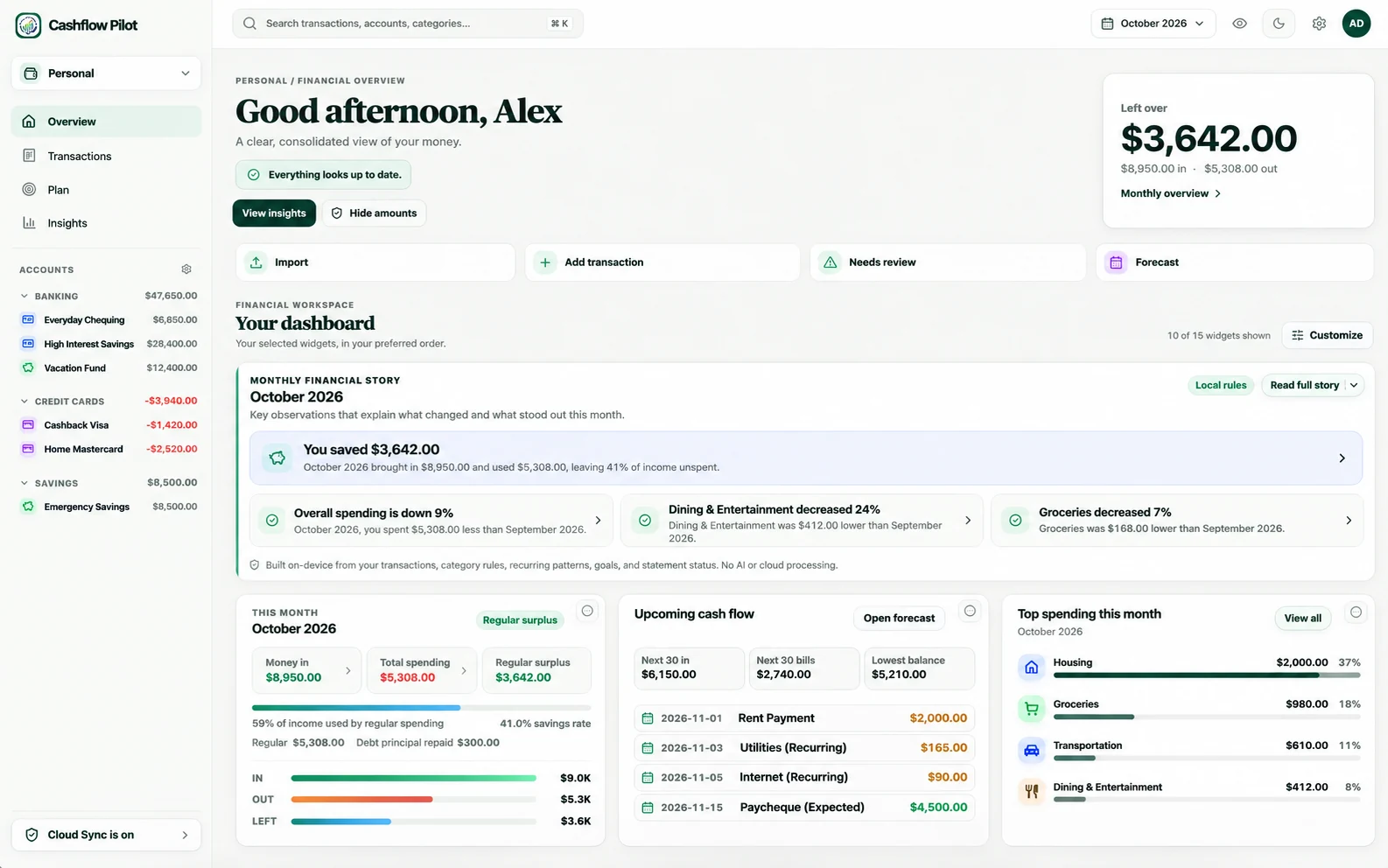
01 · Personal
Your everyday financial overview
Transactions, budgets, bills and forward-looking cash flow.
Explore every Personal feature Sample data shown to protect privacy.Bring spending, investments, dividend income and Canadian business books into one local-first financial home. Explore retirement scenarios using records you already maintain.
Free to get started. No bank connection or registration required for local use.
Illustrative desktop preview · Fictional sample balances, not live account data.
Use Cashflow Pilot to understand spending, track investments and manage business records without a Cashflow Pilot subscription. New improvements keep arriving as the product evolves.
Explore available Cashflow Pilot workspaces without a subscription.
New features and refinements are being developed and released regularly.
See recent improvements →Optional third-party bank connection providers may charge their own fees.
Use distinct Personal, Portfolio, Dividends and Business views built around relevant shared data. Planning explores supported retirement scenarios without duplicating your account records.
View full-size demo illustration Transactions, budgets, bills and forward-looking cash flow.
Explore every Personal feature Sample data shown to protect privacy.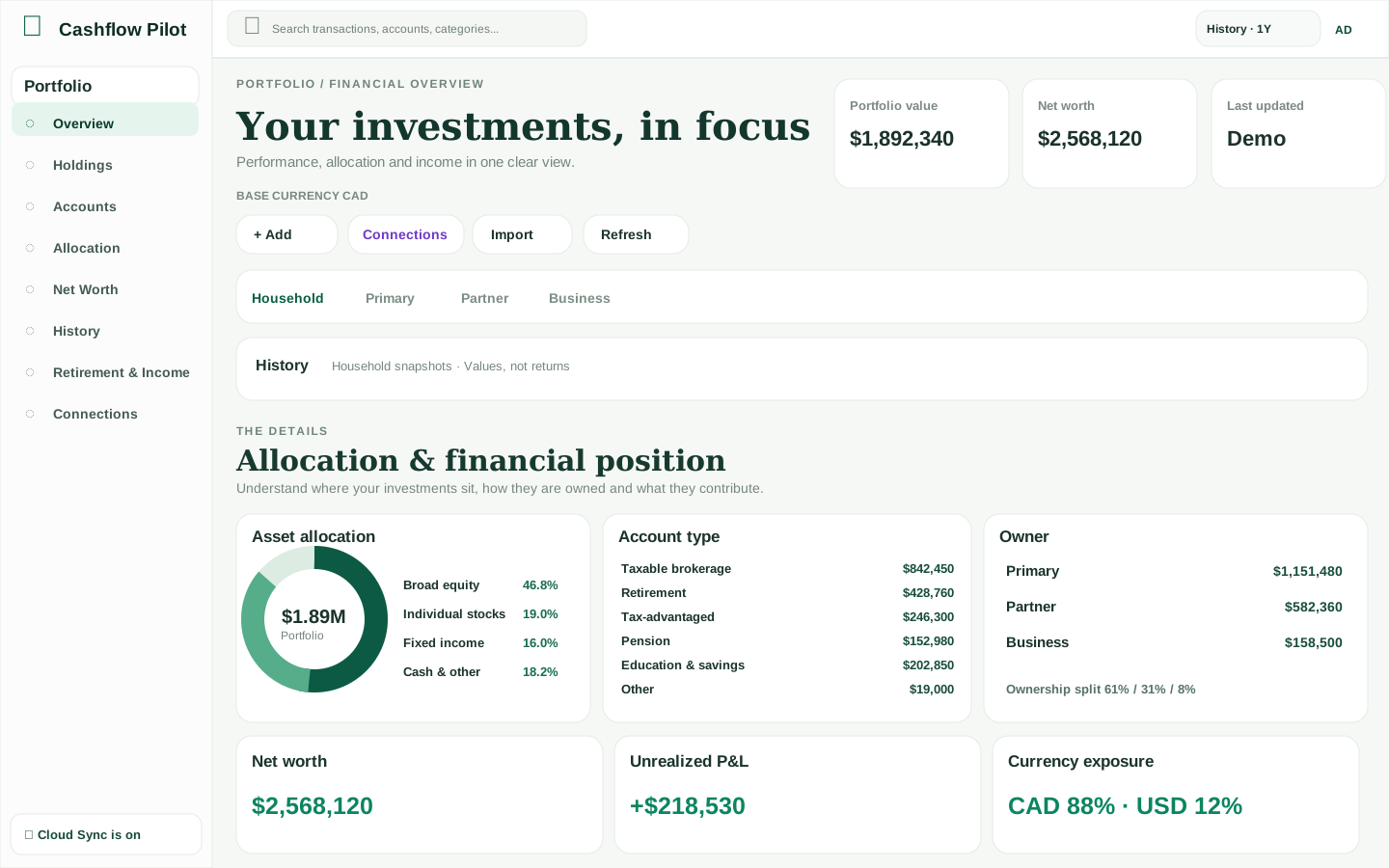 View full-size demo illustration
Holdings, account and owner values, history and investment income.
Explore every Portfolio feature Sample data shown to protect privacy.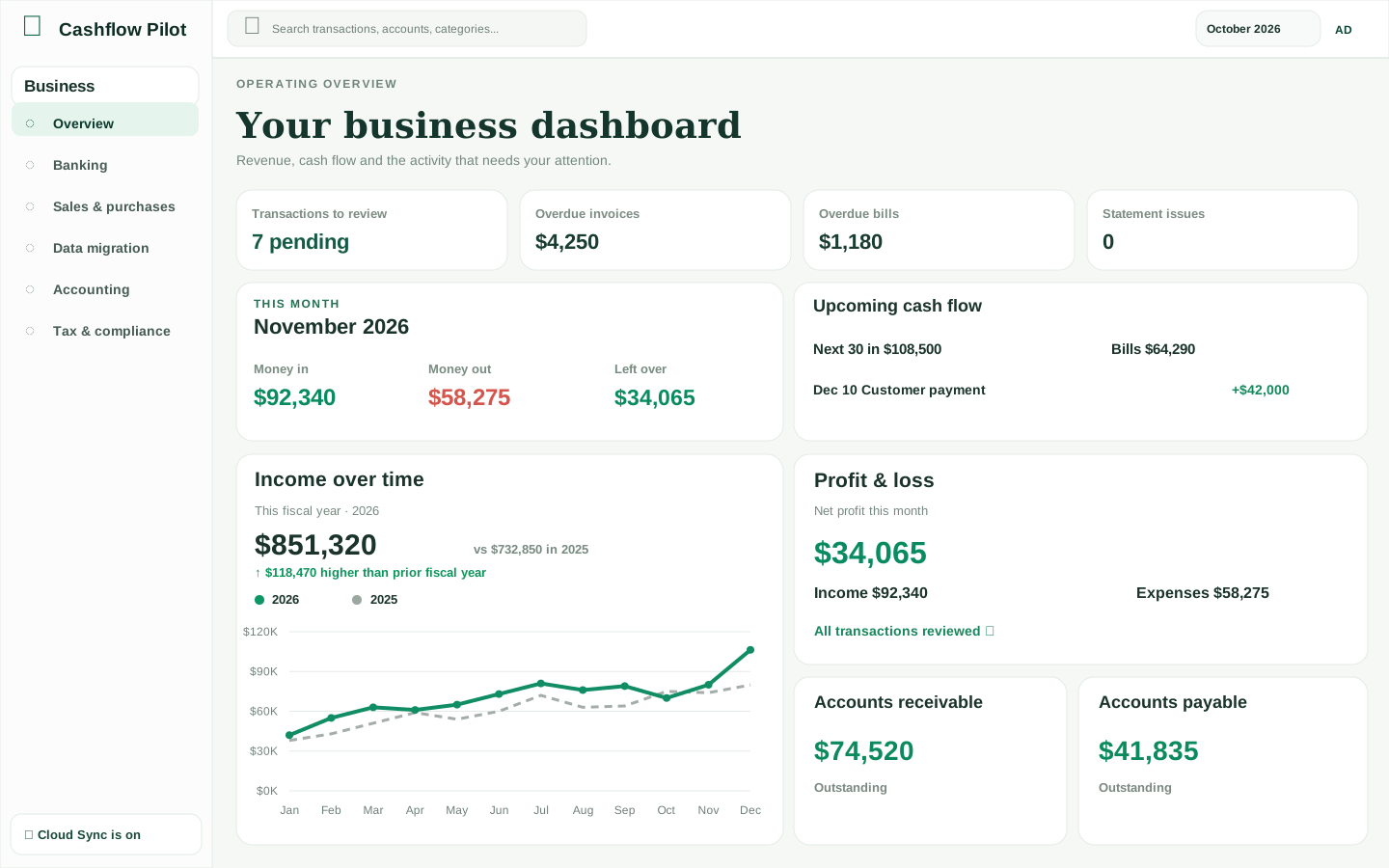 View full-size demo illustration
Invoices, journals, reconciliation, Canadian payroll and accountant work.
Explore every Business feature Sample data shown to protect privacy.Payment calendar, recorded income and indicative forecasts built on Portfolio holdings.
Expected distributions are not confirmed cash receipts.
Explore payment timing, historical income, yields and coverage gaps, with clear evidence status.
Explore Dividend Intelligence Coverage depends on issuer and account sources.Supported Canadian FIRE scenarios can reuse your accounts, investments and spending assumptions.
Financial and device release acceptance is still in progress.
Review retirement scenarios, forecasts and drawdown choices with assumptions made clear.
Explore Planning Projections are not tax or investment advice.The Dividends and Planning panels are descriptive text, not screenshots. These illustrative dashboard previews use fictional names and amounts; the live application may differ.
Explore Cashflow Pilot dashboards with fictional names and balances. The connected Dividends and Planning capabilities extend beyond these three visual examples.
You don’t need to set everything up at once. Pick a task and see how Cashflow Pilot can help.
Bring in everyday spending and check your transactions.
Import guide →Put holdings and account values in one place.
Portfolio guide →Add your business and begin organizing your records.
Business guide →We’re building around real money routines rather than another crowded dashboard. Create your own arrangement of widgets and focus on the work that needs attention.
See recurring income, expected bills and projected balances—not just a month-end spending chart.
Import previews, corrections, rules diagnostics and review states make financial data easier to trust.
Work from bank activity to invoices, balanced journals, accountant packages and Canadian payroll workpapers.
Whether you’re importing your first statement or reconciling business books, our growing help centre explains the workflow and its safeguards.
Add your first money account, bring in records and understand your dashboard. You can start without registering.
Read guide →Understand supported formats, matching, duplicates and currency handling.
Read guide →Know the difference between a local backup and optional Cloud Sync.
Read guide →Start without linking accounts. Financial data stays local unless you enable optional Cloud Sync. Banking and brokerage connections are optional, use third-party providers, and are managed separately from normal synced financial records.
Work with records on your device and export them. Cloud Sync is a separate opt-in capability.
Import supported statements yourself. If bank connections are offered in your app, you can choose to use one; coverage and any third-party fees vary.
Accounting locks, transaction review and backup tools encourage deliberate financial changes.
A Cashflow account, optional financial-record synchronization, third-party bank connections and saved backup files all serve different purposes. Learn what moves between devices and what deliberately stays local.
Straight answers about the product and its limitations.
No. You can import supported bank and credit-card statements. If an optional connection is shown in your app, you can choose to set it up; not every bank or account is supported.
Yes. You can work with local data without an account. Registration enables account-related features; Cloud Sync is optional.
Yes. The Portfolio workspace supports holdings, account values, history and owner-level views. Supported imports and optional connectors may help update data.
No. Business provides bookkeeping, review and accountant handoff tools, but you remain responsible for verifying records and tax filings with qualified professionals.
Cashflow Pilot is local-first. Optional Cloud Sync encrypts financial records before they leave your device. You keep the recovery secret; sign-in and service metadata are handled separately.
Purpose-built guides, without adding complexity to the front page.
Use Cashflow Pilot locally, then add the workflows and integrations that make sense for you.
With optional Cloud Sync, Cashflow Pilot protects financial records using end-to-end AES-256-GCM encryption. Only you hold the recovery secret; our server cannot decrypt the financial contents. Account and sign-in metadata remain separate.
Store your 43-character recovery secret somewhere secure. You will need it to unlock another device; an email sign-in code is not enough.
Save a complete backup as well. If you lose the secret, do not erase your last usable local copy before securing a backup. Without either, encrypted cloud records are unrecoverable.
Protect your recovery secret → See what the cloud database stores →
Cashflow Pilot is developing owner-approved encrypted sharing for spouses and accountants. Each person uses their own sign-in and recovery secret; nobody needs yours. Access is scoped, independently authorized, and may require private approval before it appears in your app.
Choose specific Personal transactions or Portfolio holdings to share in a read-only snapshot. Invitations alone never reveal financial records.
Understand Sharing & Access →Keep Personal and Portfolio private. Limited Business journal and bank-category collaboration uses independent encrypted approval; Payroll is separate and not enabled by an invitation.
Explore the accountant workflow →